Appearance
Cherry Studio配置教程
一、安装 Cherry Studio
下载地址: https://www.cherry-ai.com
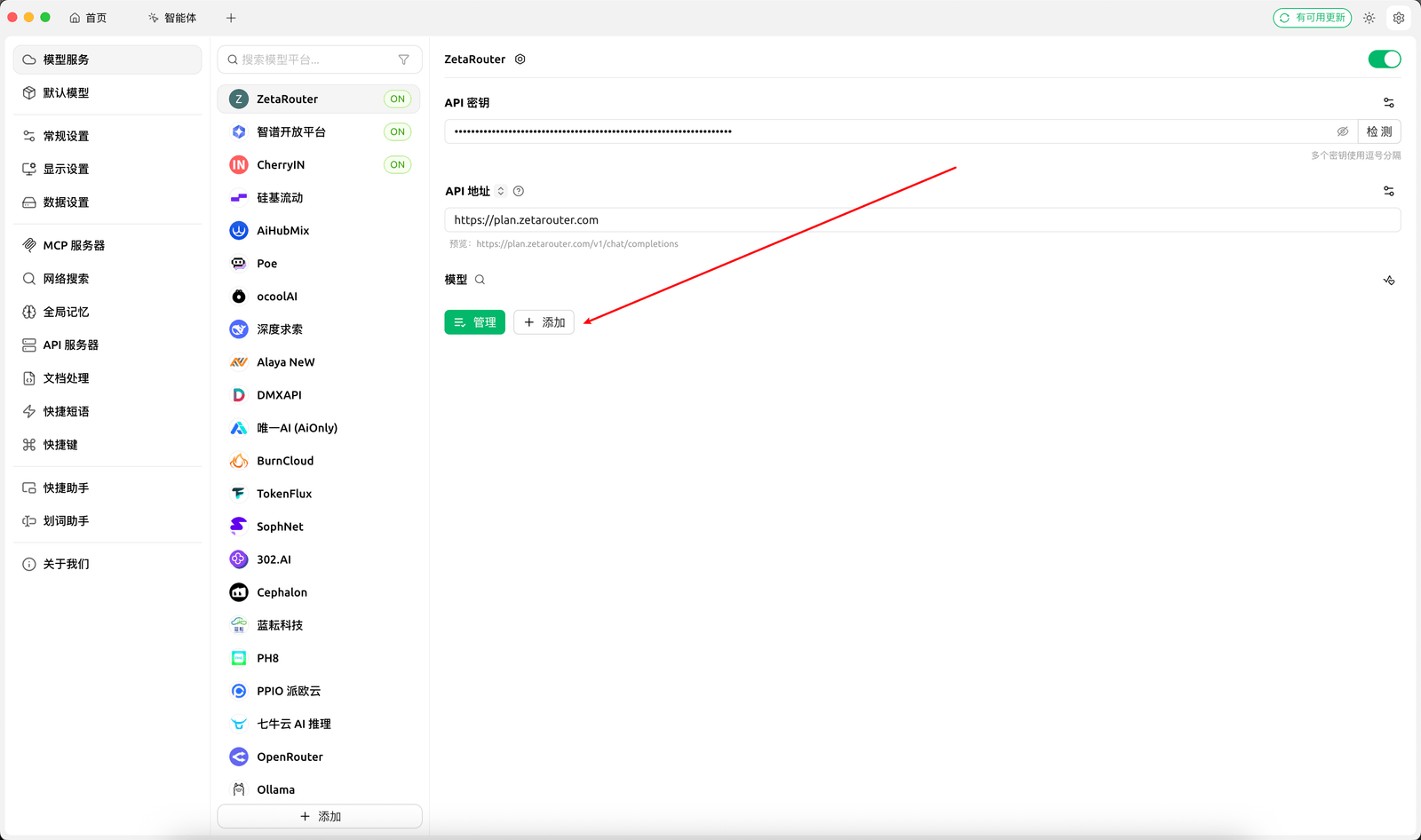
二、添加提供商
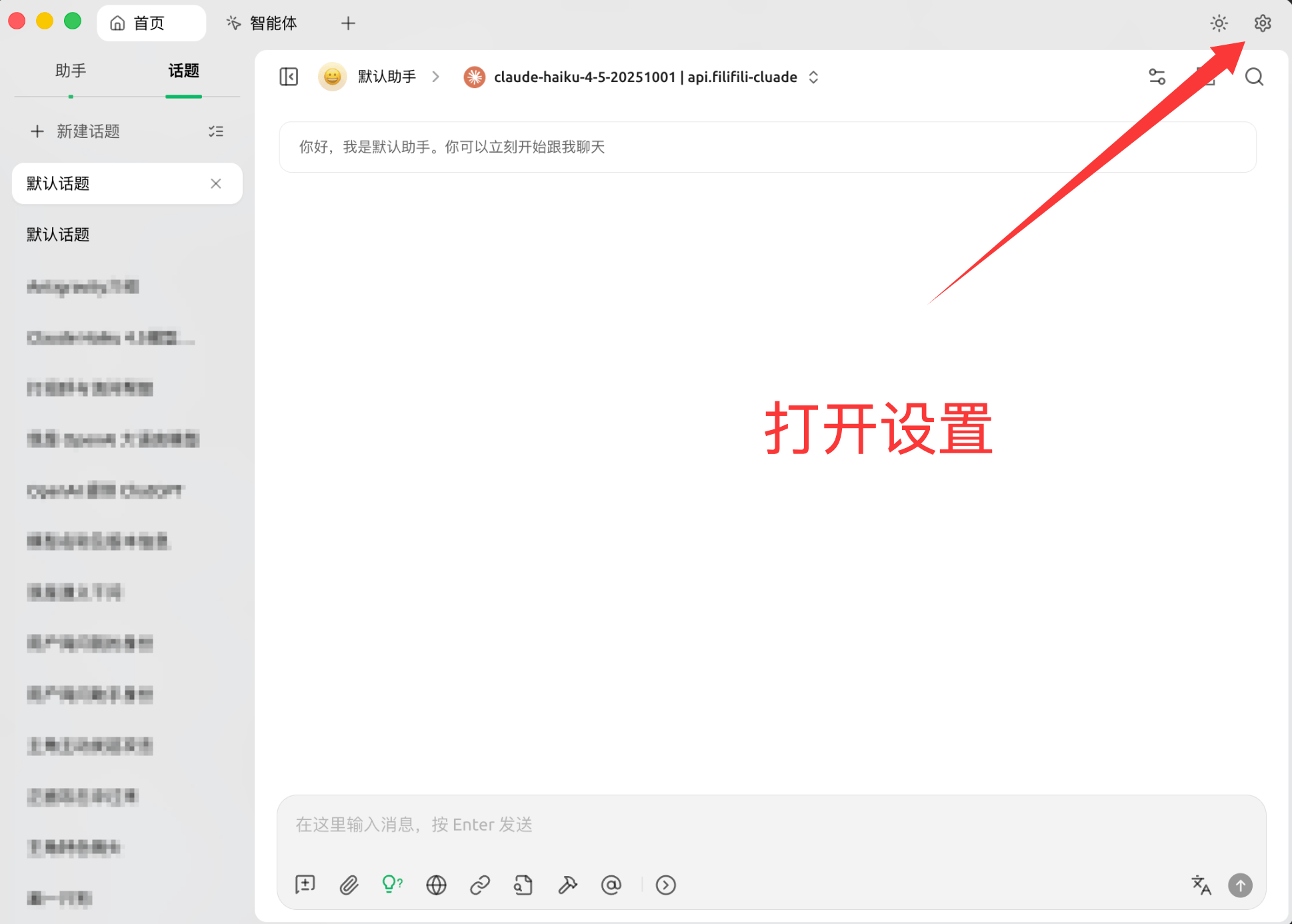
- 点击右上角设置。
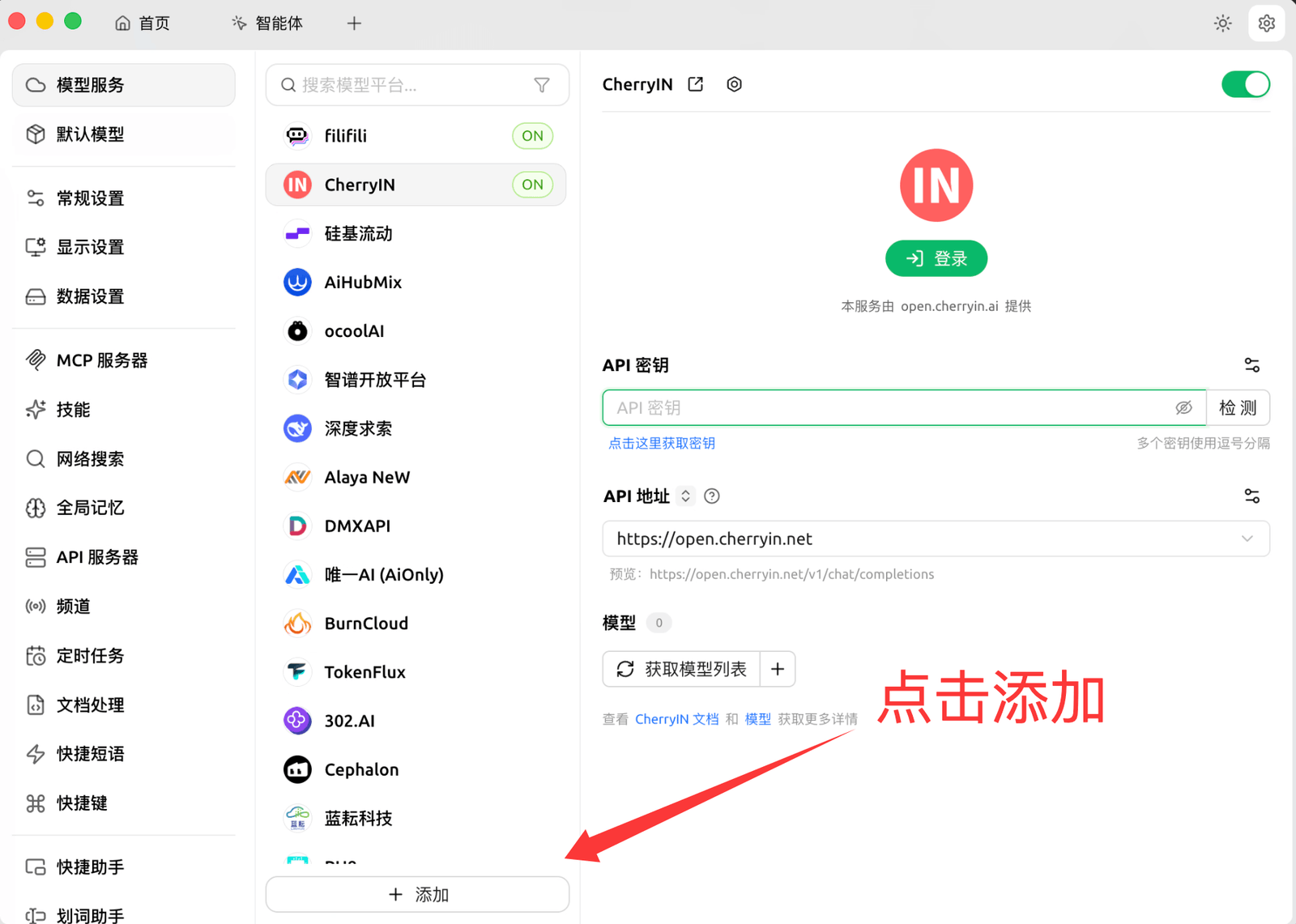
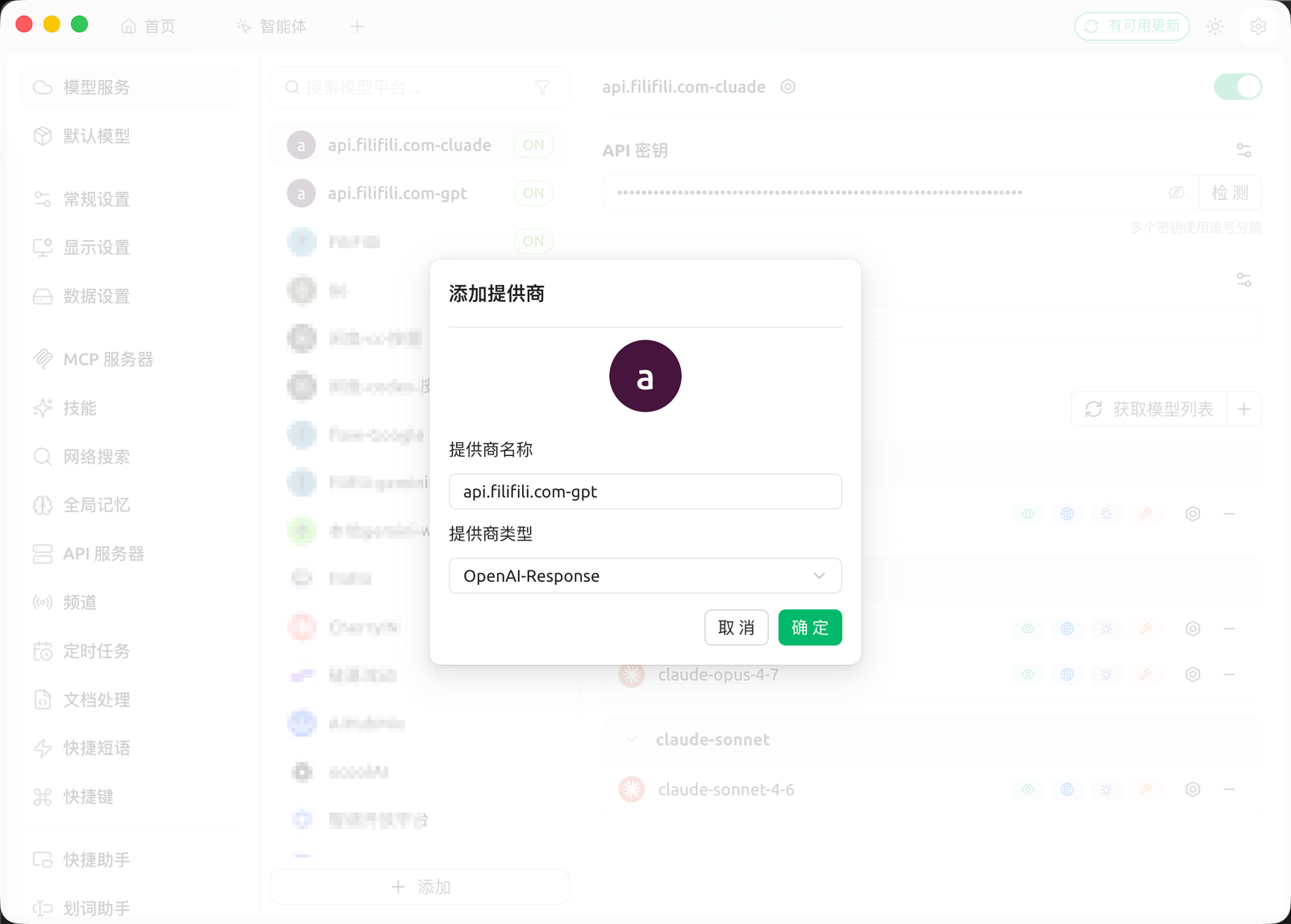
- 点击添加。
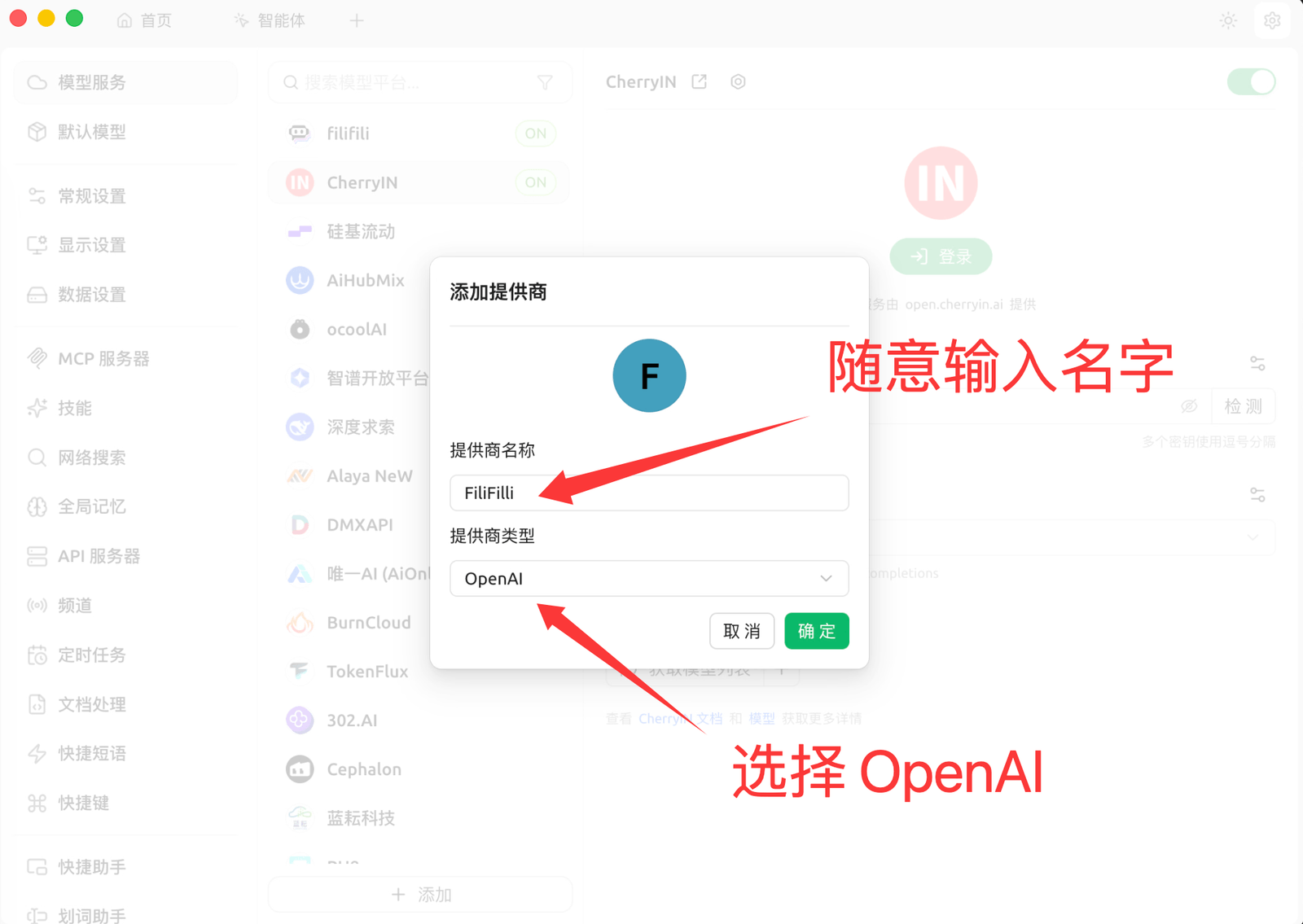
- 输入提供商名称(建议
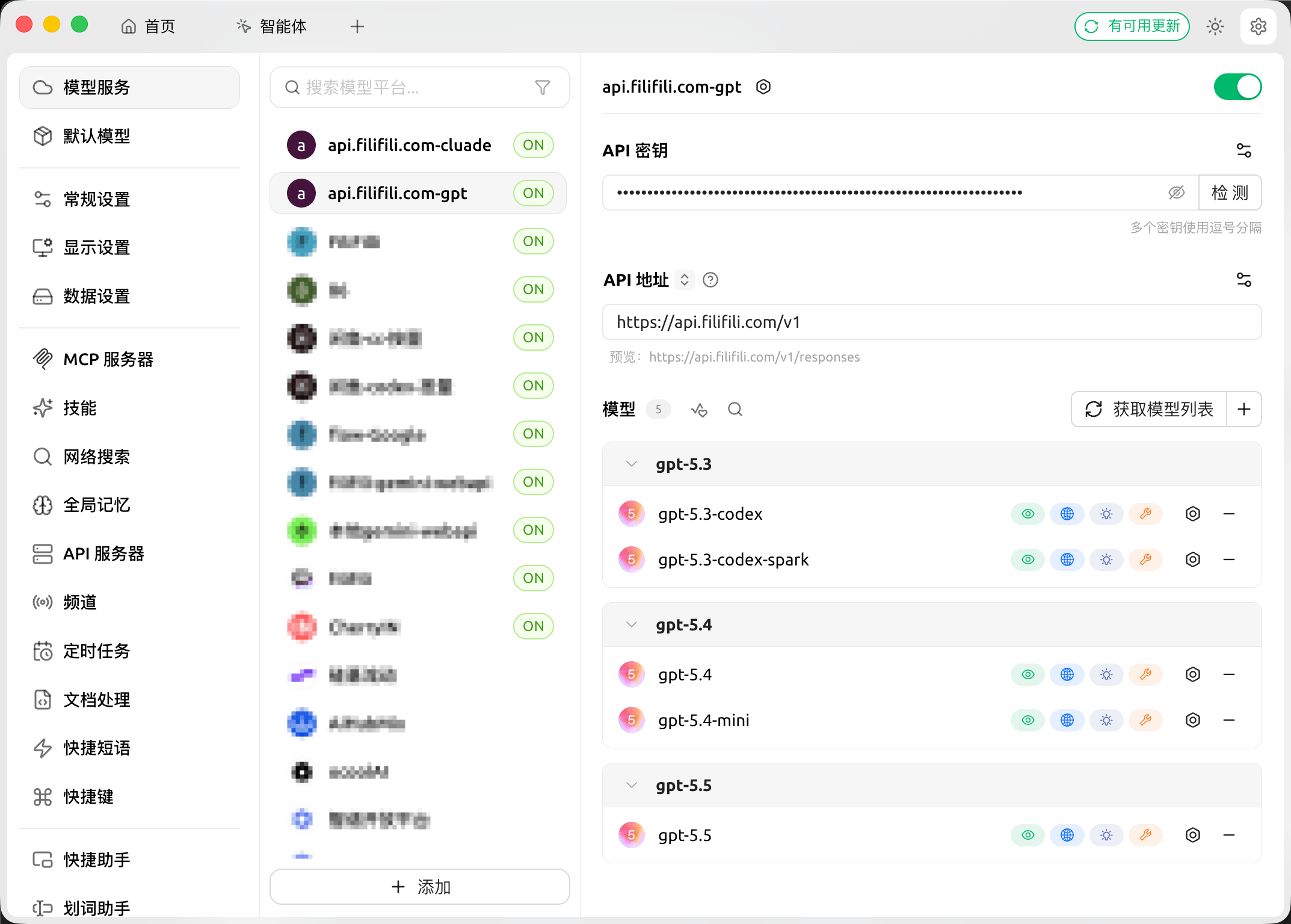
Filifili)。 - 填写 API Key 和 Base URL。
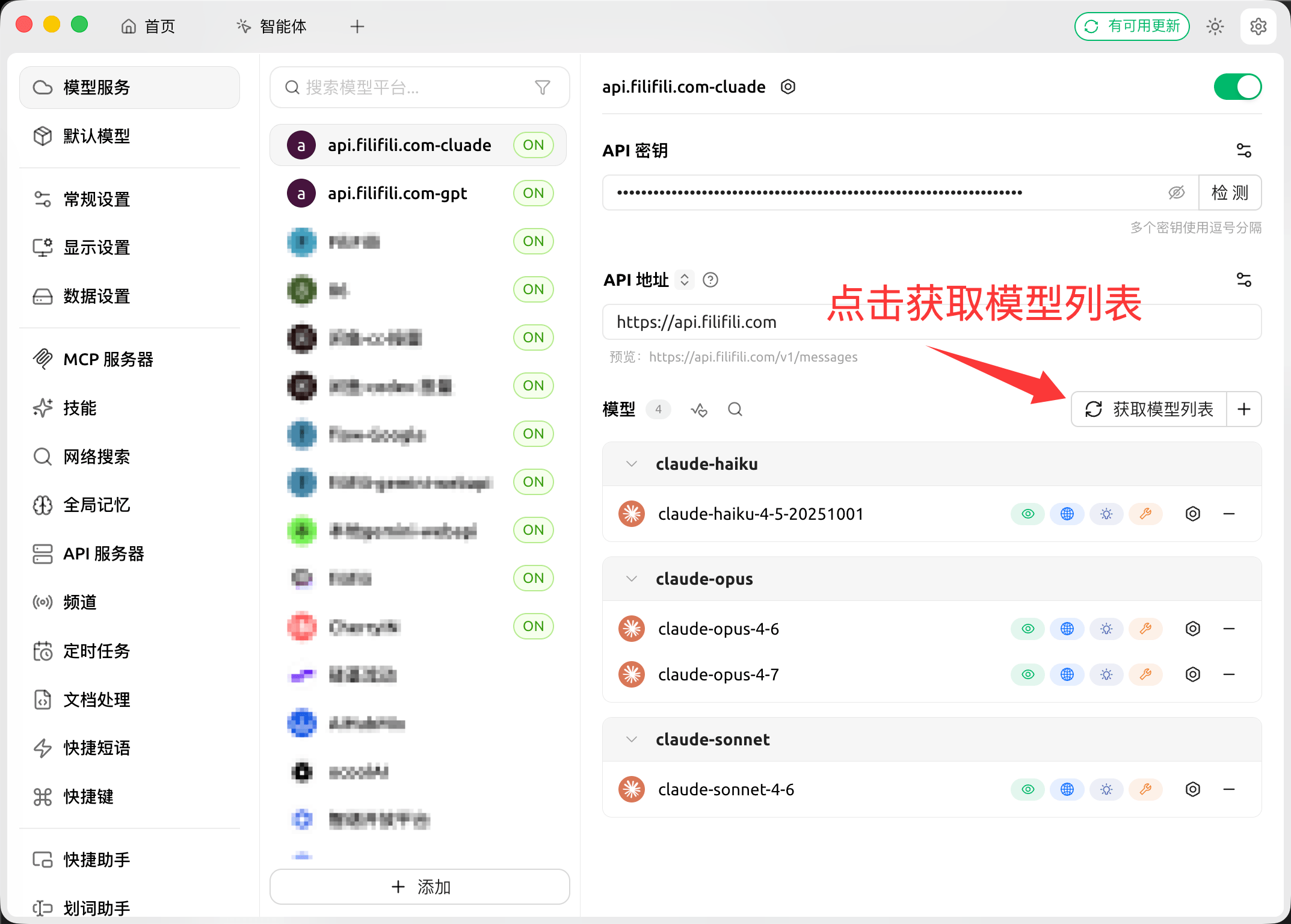
- 添加模型(例如
gpt-5.4)。
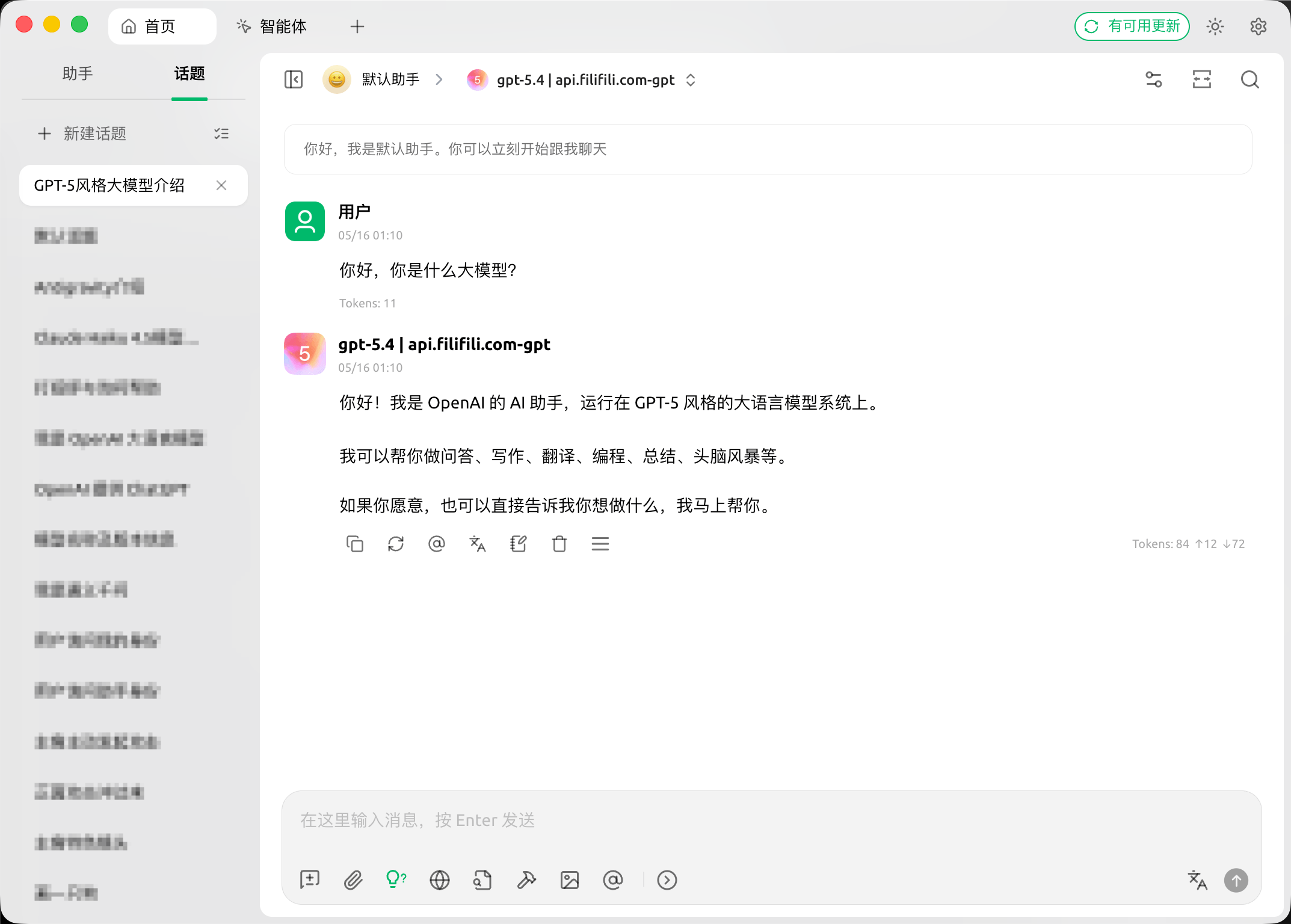
三、开始对话
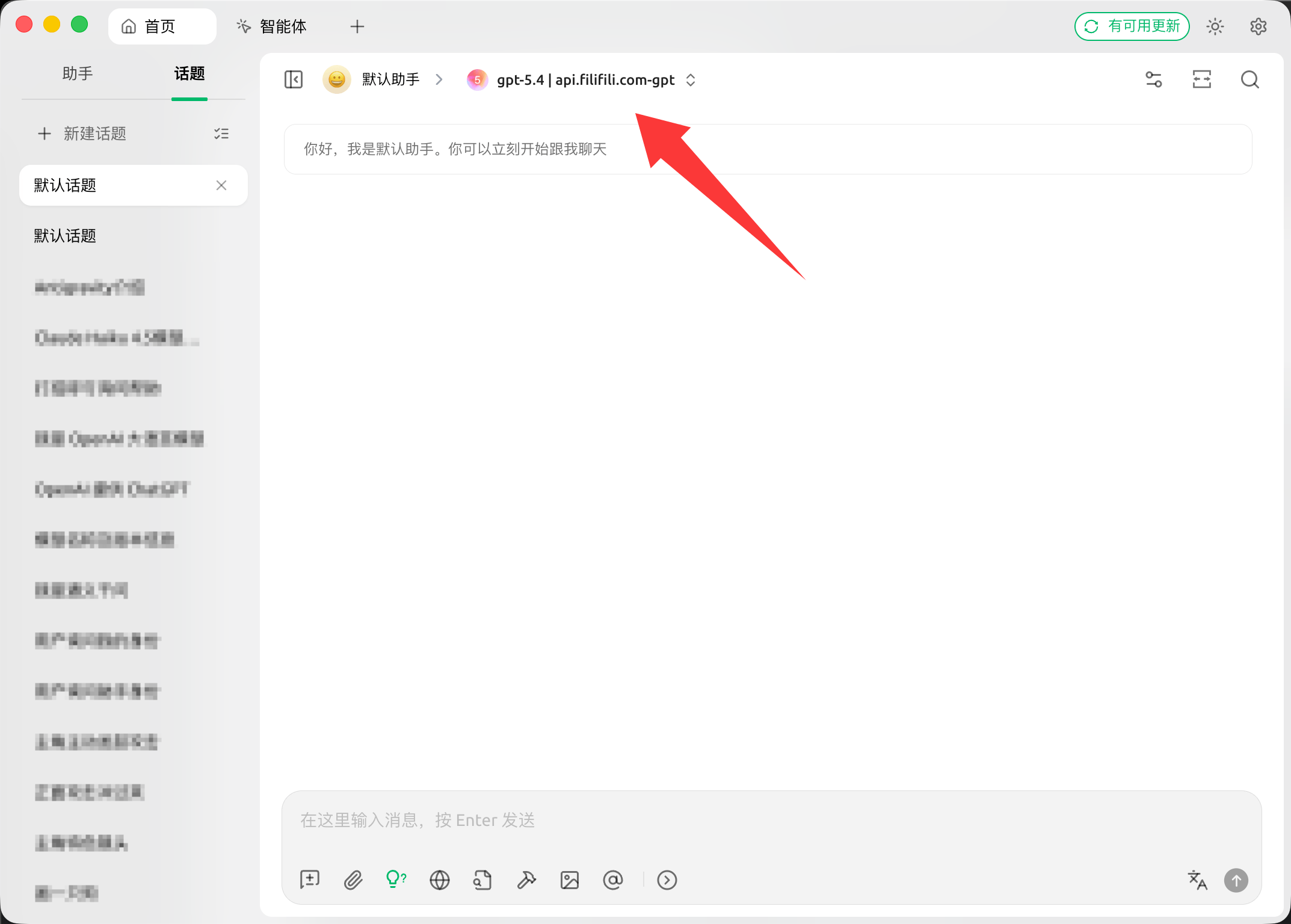
- 在模型列表中选择刚添加的模型。
- 发送一条测试消息确认可用。
下载地址: https://www.cherry-ai.com
Filifili)。gpt-5.4)。